 RIGMANIFESTOwns reusable intent
- Frequency definitions, sets, and profiles
- Selection, ordering, provenance, and capacity policy
- Radio inventory and managed image history
- Explainable omissions and degradations
Open-source radio configuration
RigManifest keeps frequency definitions, sets, and profiles independent of any one device. When it is time to program a radio, it compiles that reusable intent against the exact capabilities CHIRP detects from the radio image.
Local-first · GPLv3 · Windows, Linux, and macOS
New image + explainable diagnostics
The working model
RigManifest starts with the way operators describe a useful loadout, then leaves device-specific representation to a capability-aware compile.
Keep receive and transmit behavior, signaling, mode, step, label, priority, and notes in a shared catalog—not inside one radio image.
Group definitions into ordered sets, then combine sets and individual frequencies into profiles for places, trips, events, or operating roles.
RigManifest asks CHIRP to identify the exact radio driver, imports existing memories and banks, and retains the source image unchanged.
Compatible intent becomes a new CHIRP image. Renames, omissions, bank changes, and other compromises are shown as explicit diagnostics.
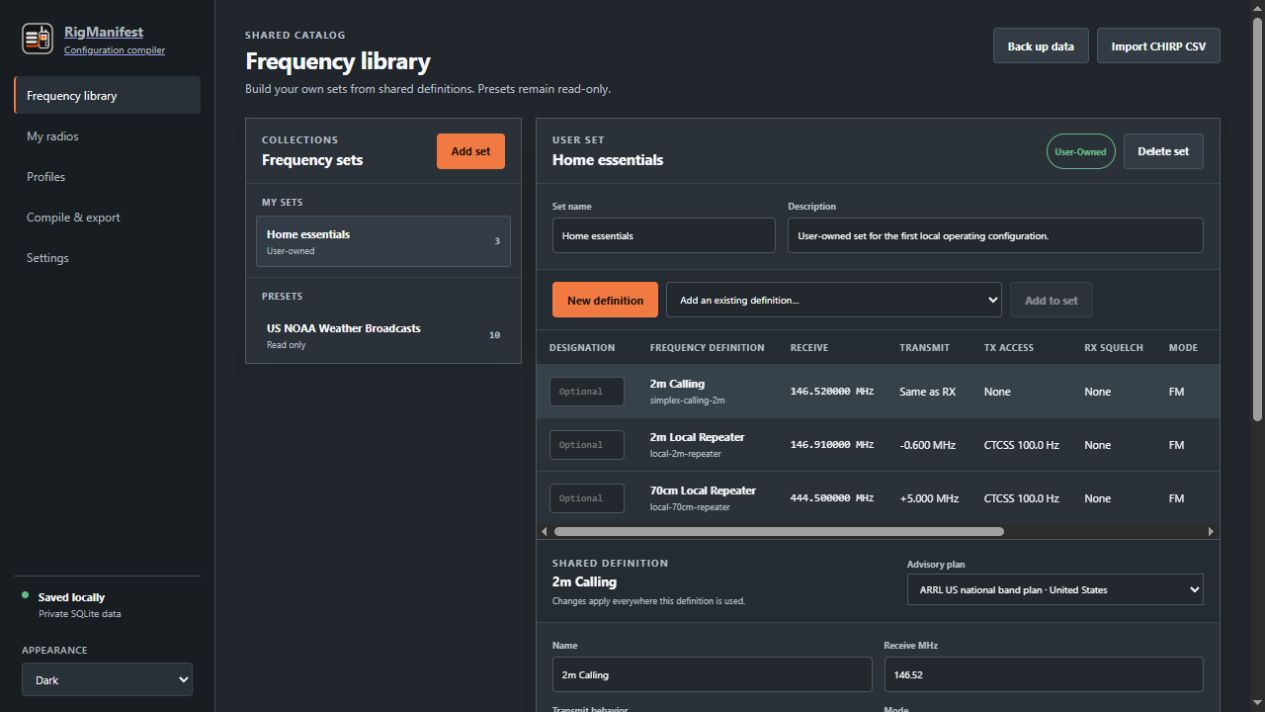
Shared frequency library
A frequency definition can carry receive and transmit behavior, access tones, receive squelch, mode, tuning step, priority, and notes. Sets keep those definitions ordered and reusable.
Profiles and prospective banks
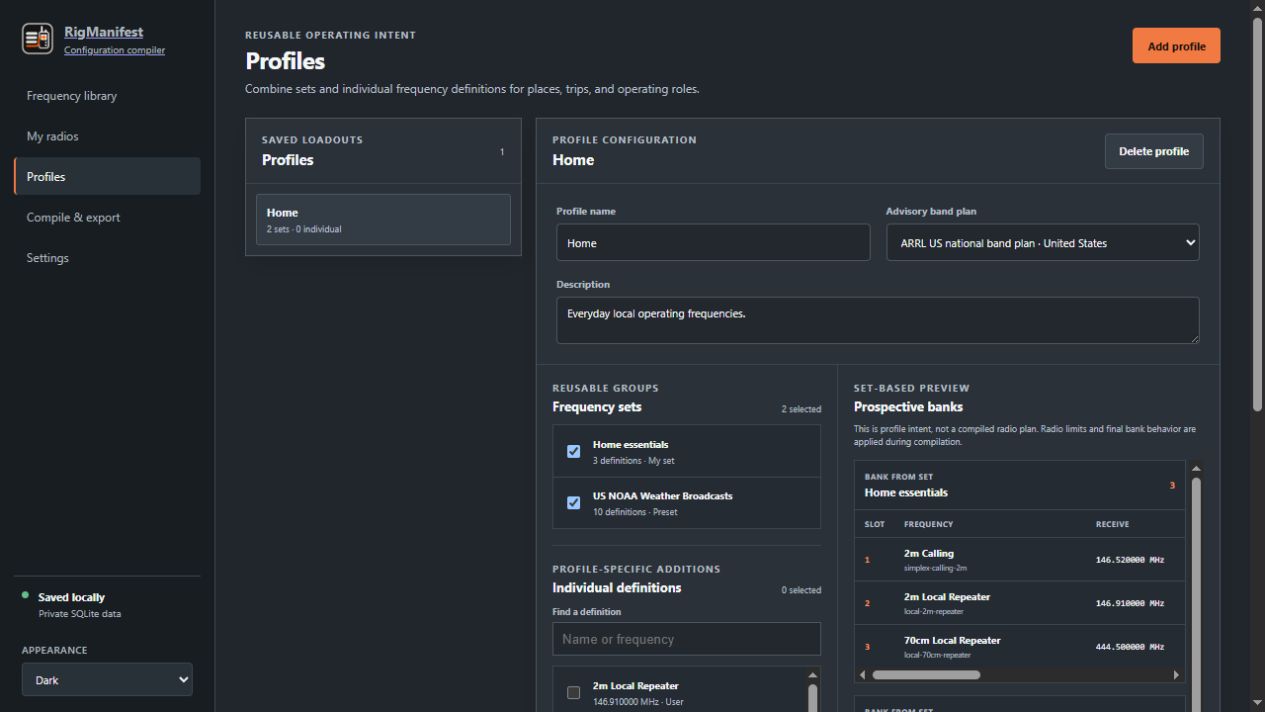
A profile combines ordered sets and individual definitions. Its preview shows grouping intent, while final memory positions and bank behavior are resolved only after a target radio is selected.
A deliberate handoff
RigManifest is a configuration-management frontend for CHIRP, not a replacement for it.
RIGMANIFESTOwns reusable intentExplainable compilation
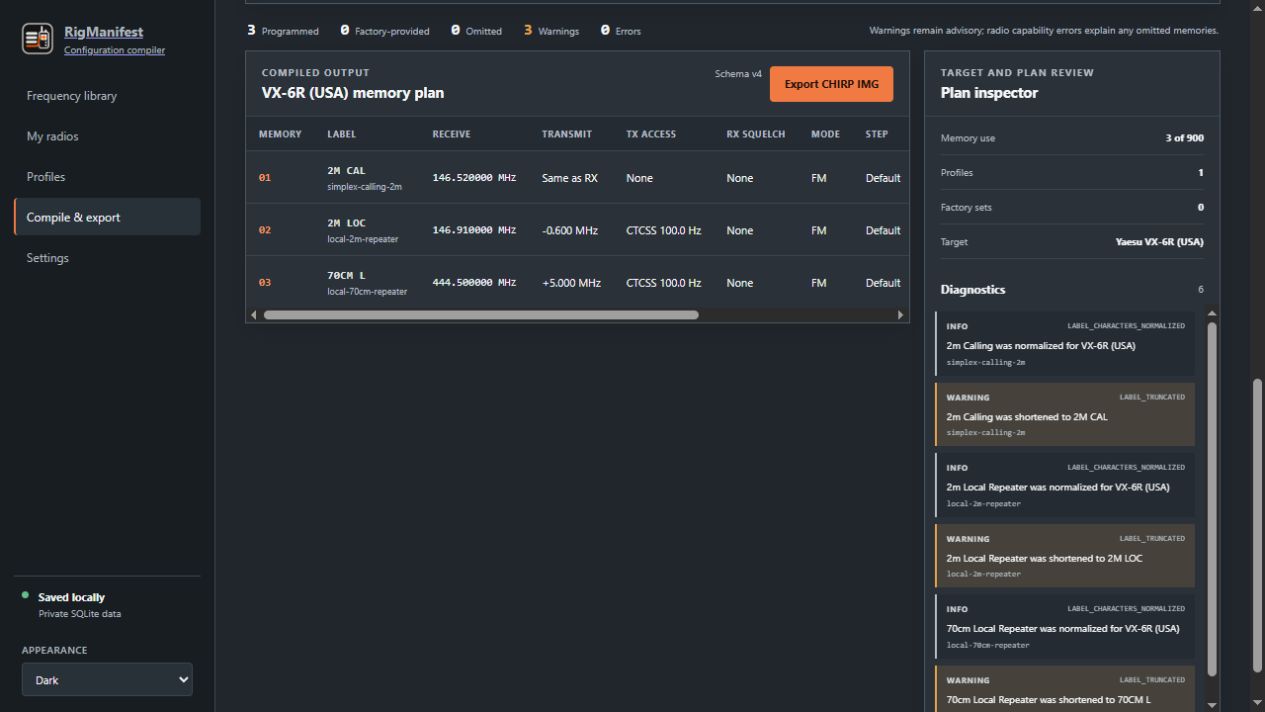
RigManifest resolves duplicates, checks the selected target’s capabilities, maps banks where possible, and applies deterministic capacity policy. Catalog data is never changed by compilation.
Included Compatible with the selected target.
Adjusted A label, grouping, or feature was safely degraded.
Omitted The target cannot safely represent the intent.
Packages
The portable build keeps its workspace beside the application.
Choose packageAppImage is portable; the Debian package uses normal application data.
Choose packageUnsigned builds require one-time approval in Privacy & Security.
Choose packageDocumentation
The project documentation covers both everyday use and the architectural boundaries behind the compiler.
Install the desktop app, add a radio image, organize a library, and complete the first export.
A page-by-page reference for the frequency library, radios, profiles, compilation, and settings.
The boundaries between definitions, sets, profiles, banks, radio images, and CHIRP.
Current priorities, deferred work, synchronization research, and intentionally excluded scope.